Search This Blog

About Me

Chennai, TamilNadu, India
I am a craftsperson by passion and quality assurer by profession. I love to build - a craft or a piece of code. I look for reusability in crafts and usability in APPs. I always find something new to create and something new to learn. I believe in liberal world, flexible schedules and boundaryless place . https://automationautomated.blogspot.com/p/am-into-software-test-automation-and-r.html

Tuesday, March 11, 2025

Postman’s AI assistant

 Postbot 


While these were powerful AI features powered by Postbot, they were disconnected actions within the Postman app and it didn’t feel like you were talking to “one expert AI assistant.” As the set of capabilities grew, having multiple entry points quickly became untenable. Users needed help knowing where to find Postbot and what they could do with it. This also coincided with the rise of chat as a popular way to interact with AI-enabled systems.

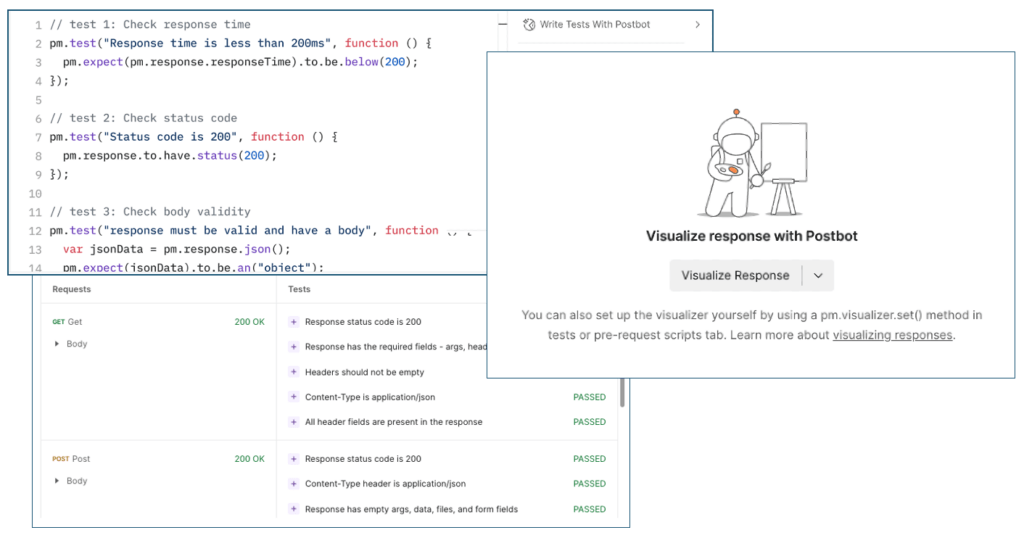
Various distinct features of Postbot

Postman

 Visualize APIs <=> Visualize the Product - Postman FLOWS !


Postman Flows, is a visual tool to create API workflows. You can use Flows to chain requests, handle data and create real world workflows right in your Postman workspace.


Create a new flow

You create flows in a workspace. Use workspaces to organize your API projects and collaborate with your team.

To create a new flow, do the following:

  1. Choose an existing workspace or create a new one.
  2. From the Postman sidebar, select Flow icon Flows.
  3. Select Add icon Create a new Flow > Flow icon Create new Flow.
  4. In the sidebar, hover over the new flow and select Options icon View more actions > Rename.
  5. Rename the flow to Hello, world.
  6. Select the Return or Enter key.

Add a String block

Use the String block to define text, which you can send to another block.

To add a String block, do the following:

  1. From the canvas toolbar, select Add icon Block.
  2. Select String icon String. You can also search for the block by entering String in search.
  3. To the right of the Start block, select the canvas to place the String block in that location.
  4. In the String block, enter the text Hello, world.

In the next procedure, you'll connect this block to a Display block to display your text.

Connect an Output block

When you connect two blocks, you connect one block's input to another block's output. Inputs are on the block's left side and outputs are on its right side. The Display block displays incoming data, such as the String block's string value.

To connect a Display block, do the following:

  1. Hover over the String block's output port. The pointer changes to a crosshair.
  2. Drag the output port to the right of the String block to place the Output block in that location.
  3. Select View icon Output. You can also search for the block, by entering Output in search.

Run the flow

From the canvas toolbar, select Run icon Run.

"Hello, world" flow


Thursday, August 5, 2021

GRAPHQL Part 2

GraphQL has two parts: 

  1.  A Server component, a GraphQL server to accept the incoming requests and send back data precisely. 
  2. A Client component, to send a POST request (with payload) to the GraphQL server. 

GraphQL uses a type system to define the capabilities of an API. All the types declared in an API are written in a schema using the GraphQL Schema - Schema Definition Language (SDL). It serves as a contract between the client and the server to define how a client can access the data. Defining the Schema allows the back-end and front-end teams to concentrate on their piece of work without much communication. 

WORKFLOW 

     Developing a GraphQL API revolves around three main concepts. 

Firstly the Schema
Secondly, the Queries
Thirdly the Resolvers 

 • Declarative syntax to Query the data you’d need from the Client to the Server
 • GraphQL would generate the payload based on the query and it has a JSON response with data on it. 
 • Server sends the payload back to the Client and the data gets displayed onto the Client


GraphQL vs. REST API


Data fetching 

Data fetching is one of the most significant improvements in GraphQL when compared to REST.

REST API retrieves the necessary information by accessing multiple endpoints.
With REST API sometimes need to use multiple different endpoints to fetch the required data. 

GraphQL is a query language, and your query (request) when triggered it precisely responds with the expected data, no extra information gets retrieved. No more over and under fetching of data. 
GraphQL gives you precise data. GraphQL you’d send a query [nested queries] and GraphQL responds with exact data. 

 Reference https://www.howtographql.com/basics/1-graphql-is-the-better-rest/ 

 Data Operation

 In REST API, each resource is represented with an endpoint, and it’s apparent to end up having multiple endpoints. The data fetch done using the CRUD (Create, Read, Update and Delete) operation via multiple endpoints. 

Whereas, In GraphQL, everything perceived as a graph and it’s connected and represented as a single endpoint. It also has unique features like Query, Mutation and Subscription. 

Versioning

In REST API, it is prevalent to see APIs have a different version like v1, v2 and so on. 
In GraphQL, there’s no need since it is based on Schema and users can quickly mark those types as deprecation for the fields that are no longer needed. This also saves a huge time in back and forth testing on different versions of the same API. 

Benefits of a Schema & Type System

Once the GraphQL schema is defined, the teams working on frontend and backends can do their work without further communication since they both are aware of the definite structure of the data that’s sent over the network.

Frontend teams can easily test their applications by mocking the required data structures. Once the server is ready, the switch can be flipped for the client apps to load the data from the actual API.

Insightful Analytics on the Backend

GraphQL allows you to have fine-grained insights about the data that’s requested on the backend. As each client specifies exactly what information it’s interested in, it is possible to gain a deep understanding of how the available data is being used. This can for example help in evolving an API and deprecating specific fields that are not requested by any clients any more.

With GraphQL, you can also do low-level performance monitoring of the requests that are processed by your server. GraphQL uses the concept of resolver functions to collect the data that’s requested by a client. Instrumenting and measuring performance of these resolvers provides crucial insights about bottlenecks in your system.


Monday, August 2, 2021

GraphQL - Part 1


 GRAPHQL 

    Though GraphQL was in use for years, recently its gaining more popularity. One would say, am happy with REST why GraphQL? Well, do you remember the days of SOAP API and dealing with xml?
REST has been the de facto standard for APIs for a while now, replacing the relatively cumbersome and XML-only SOAP-based APIs with an architecture that is more flexible, lightweight and easier to develop. However, REST is not without limits of its own. With pure REST, if you need to gather and combine data from multiple endpoints or entities, the API consumer typically needs to invoke multiple endpoints, collect the data from each of these endpoints and combine and filter that data into something useful.

 Advancement is inevitable and the need for speed, scalability while dealing with huge data is the drive for GraphQL. GraphQL tries to solve this problem by exposing all data through a single endpoint and allow the API consumer to write queries that retrieve the exact data required at any given moment, all with a single API call.


History

Facebook invented GraphQL, and now it is maintained by a large community of companies and individuals all over the world. GraphQL is a specification and, users shall create their implementation on different platforms conforming to the specification.

Netflix Open-Sourced their implementation called Falcor.

An easy example for folks coming from Test Automation world, it is like WebDriver being a W3C Specification, Selenium and WebDriverIO are its browser automation implementation.


Why Facebook created GraphQL is an exciting story in itself and is available here as a documentary.

One of the problems that Facebook wanted to solve is the speed and user experience of facebook.com. After a few ideas, the team came up with two main mantras that would work. The team started working towards achieving them, namely As little as possible, as early as possible and Engineering experience in service of user experience. They achieved this by unifying the fetching of code and data in one single GraphQL query—the GraphQL’s ability to ally the request and minimises network usage is outstanding. 
More… here.

What is GraphQL?


GraphQL is an API specification standard and an Open-Source data query and manipulation language. 

GraphQL follows WYAIWYG pattern What You Ask Is What You Get. GraphQL allows declarative data fetching where a client can specify what data it needs from an API.

GraphQL is promising and evolving by the adoption of a large group of companies rolling out GraphQL in production. However, there is definitely, few caveats in this new modern API design too like caching, Authorization, Error handling, n+1 problems. And there are ways to navigate through these problem areas.
Tuesday, September 8, 2020

AutomationAutomated: Evolution of V Model in Agile

AutomationAutomated: Evolution of V Model in Agile:                                  As we are moving towards Agile [ even PMP is adapting to Agile on 2021], we tend think Waterfall model, V m...

Evolution of V Model in Agile

                                 As we are moving towards Agile [ even PMP is adapting to Agile on 2021], we tend think Waterfall model, V model as stone age methodologies.  But as I work more and more on Agile I couldn't shake the feeling of similarity on V model. Especially from a QA / Tester  point of view. 


Traditional V model

V Model


Verification is the comparison of software to its technical specification. This effort is typically led by a systems analyst.
Validation is the comparison of software to its business requirements. This effort is typically led by a business analyst.

Left side of the traditional “V” portrays various upfront and comprehensive business and technical documents.
Right side mirrors the corresponding levels of testing. 

Top-down, the testing levels are satisfaction assessment, acceptance testing, user testing, system testing, integration testing, and unit testing. 
The top 3 levels provide validation while the lower 3 verification.
 

Agile V Model

Agile V Model
Agile V Model

 
Left Side of the agile “V”

1. Business Need – states the business direction in the form of cost savings, revenue increase, conformance to laws, industrial standards, or an executive edict
2. With a statement of business need, the stakeholders scope the Product Vision of the solution by creating a list of prioritized software features. Led by a business analyst, the stakeholders attend a facilitation session where they brainstorm ideas, construct AS-IS and TO-BE models, conduct a gap analysis, and finally rank the product features of the software solution along with their benefits. Note the stakeholders most likely also identify associated process improvements.
3. Together with the stakeholders, the agile team elaborates on the Product Features via user stories consisting of conversations and matching test confirmations with constraints (business rules) and environmental conditions (e.g., system performance, capacity, usability, security, etc.). The team then estimates the work required for each feature in story points for velocity planning. Velocity is the average of story points a team can address in an iteration
4. For each iteration, the agile team breaks down selected product features into Functional Tasks (e.g., input, store, retrieve, calculate, transmit, print, etc.) and estimates the work required in hours. This is called commitment-driven iterative planning


Right Side of the Agile “V”

As in the traditional V-Model, the right side of the “V” mirrors the progressive definition side with matching testing levels. Again starting at the top:
1. Business Case Assessment consists of economic indicators that confirm that benefits stated in the Business Need are realized.
These indicators range from payback period, benefit-cost ratio (BCR), return on investment (ROI), net present value (NPV), to internal rate of return (IRR). Note benefits need to be on a feature basis since the product owner will approve features incrementally. This allows the product owner to update the business case as soon as the benefits are realized. This is a real economic benefit of the agile approach; the quicker the features are moved to production, the higher the NPV. Note if the business case is motivated by a conformance issue, the benefits are in the compliance rather than economics.
In the traditional V-Model, the matching test level of Business Need is a satisfaction assessment rather than a business case assessment. The satisfaction assessment is typically a user survey providing solution feedback such as solution errors, enhancements and lessons learned. Due to the continuous involvement of the product users in agile, the satisfaction assessment is redundant.
2. Product Owner Testing is when upon reviewing completed features of the current release/iteration, the owner of the solution decides if the quality of the Product Vision features are “fit for use” for an incremental move to production. This is in contrast to the traditional V-Model where the quality definition of “conformance to written and approved requirements” is applied by the product owner using the formal Business Requirements Document (BRD).
3. Regression Testing, also known as continuous integration testing or automated testing, is a suite or series of testing to ensure all acceptance criteria for developed features are still working (no errors). This level of testing also includes solution environmental conditions as stated in the Product Features.
4. Test-Driven Development (TDD) is the 
1) development of functional tests prior to coding, 2) coding, 3) test execution and 4) refactoring of the Functional Tasks; see the process model in Figure 3. Refactoring is “cleaning” up code for efficiency and/or maintainability (yes, documentation), not adding or changing tasks; sometimes referred to as technical debt.


SUMMARY 

Like the traditional V-Model, the proposed V-Model for agile development testing highlights both validation and verification. Although, by nature, the agile V-Model is simpler (fewer test levels), it is just as thorough. The agile V-Model maintains and truly enhances the test-driven development concept. And most important, it completes the test life cycle with the business case assessment.


Monday, December 30, 2019

CodeceptJS - Automate Anything ???

CodeceptJS


           Am beginning new journey of Automating Webapps - created thro' cutting edge technologies like React !  When I say new journey its not UI Automation [which I've been doing for more than a decade] but the approach.

Am sure people who has experience in automating Angular or React web apps knows the pain-points, trust me its not easy esp if your using Selenium. Though many claim they are automatable with other tools like Puppeteer, Testcafe etc .. as automation er. we need multi browser support.

I always wonder why so many tools are out there for Automation? Surely one would overcome the difficulty the other has. So can I use them all ? Like Selenium + Sikuli, Selenium + Applitools ? I tried them and they work still its not sufficient and gives me the feel of limited coding freedom.

Recently I was introduced to 'Codeception' which sounds like a solution I was really looking for. Will CodeceptJS truly works? With CodeceptJS I can use Selenium and Puppeteer ? Really?
Am going to find out .......

First I have to upgrade my self from JAVA to JS !! This takes me 6 years back when I was moving from VBScript to Java, yeah you are right I was moving from QTP to Selenium world. My first encounter with Selenium was exciting, though I explored more tools later my first exposure to opensource world was Selenium which unboxed the unlimited possibilities through open source tools.


Sunday, November 10, 2019

BBD way of REST API Automation RestAssured

API automation #REST-assured


API what is it, why does it matter?

  • Application Program Interfaces define the business logic of the application being designed.
  • Functional rules - User interaction with services and data.
  • Endpoints -  Relay information through request-response protocols (typically through a ‘Uniform Resource Identifier’) and gives response.
  • SOAP and REST APIs
API Calls interaction


  Why I have to test API ?


Complete coverage! UI testing, either manual or automated, is still just testing the presentation layers to make sure the end user experience matches expectations and meets functional requirements.

If solely using UI testing without data-driven API testing, it’s nearly impossible to validate all different possibilities of how a user could manipulate the application and the related sub-applications. The best approach is to test both UI and API.

Early testing helping shift left.

API testers on a QA team will focus on all the different permutations and scenarios to validate within a single API and among multiple APIs involved in a chain of requests (end-to-end).

Could test APIs without having complete knowledge of the entire system.

Business depend on APIs working 100% as expected hence simpler and more convenient way is to run tests through a series of checks after a build and they’re generally straightforward to create, automate, and maintain.

Quick validation.  API automated testing often takes a fraction of the time as UI automated tests. 

The bottom line is that API testing offers many advantages to a more traditional manual or automated UI approach. With the right tools and expertise it can supplement existing testing efforts and contribute added capabilities to your testing goals.


How can I test these APIs?

Some Tools....
SoapUI
Postman
Katalon Studio
Tricentis Tosca
Apigee
Jmeter
Swagger Inspector
Assertible
RESTClient
Rest Assured
Rest template
HTTP
Restsharp
RestConsole 
Chakram
Karate
SuperTest

...♾

Testing a web site REST api - Json using developer tools and Postman

Sample APIs site -- Kayak.com  resqres.in


API Automation – REST Assured

Authorization


•CSRF
•OAuth1
•OAuth2
Headers
Cookies

Sample Code::

public void basicAuthorization() {
REQUEST.auth()
  .basic("user1", "user1Pass")
  .when()
    .get("http://localhost:8080/spring-security-rest-basic-auth/api/foos/1")
  .then()
    .assertThat()
    .statusCode(200)
  .getHeader("Date");


public class OAuth2Test {
    private String resourceOwnerLogin(String tokenUri, String clientId, String clientSecret, String username, String password, String scope) {
       
      Response response = REQUEST.auth().preemptive().basic(clientId, clientSecret)   
                        .formParam("grant_type", "password")
                        .formParam("username", username)
                        .formParam("password", password)
                        .formParam("scope", scope)
                        .when()
                        .post(tokenUri);
       
        String accessToken = response.path("access_token").toString();
        String tokenType = response.path("token_type").toString();
       
        String dateHeader  = response.getHeader("Expires");
        String respCookie = response.getCookie("auth_cookie");
        return accessToken;
    }
}

Assertions -Json Gpath and Hamcrest Matchers


{
    "page": 1,
    "per_page": 3,
    "total": 12,
    "total_pages": 4,
    "data": [
        {
            "id": 1,
            "email": "george.bluth@reqres.in",
            "first_name": "George",
            "last_name": "Bluth",
            "avatar": "https://s3.amazonaws.com/uifaces/faces/twitter/calebogden/128.jpg"
        },
        {
            "id": 2,
            "email": "janet.weaver@reqres.in",
            "first_name": "Janet",
            "last_name": "Weaver",
            "avatar": "https://s3.amazonaws.com/uifaces/faces/twitter/josephstein/128.jpg"
        },
        ...
    ]
}


public RequestSpecification REQUEST;
@Before
public void details() {
RestAssured.baseURI = "https://reqres.in/api";
REQUEST = RestAssured.given().contentType(ContentType.JSON);
}

@Test
public void shouldFetchListOfAllUsers() {
REQUEST
.get("/users")
.then()
.assertThat()
.statusCode(200)
.contentType(ContentType.JSON)
.statusLine(containsString("OK"))
.log().body()
.body("data", hasSize(3))
.body("data[0].id", equalTo(1))
.body("data[0].first_name", equalTo("George"))
.body("data.findAll{it.id>2}.first_name", hasItem("Emma"))
.body("data[0].last_name", not(equalTo("George")));
}

Reference #


Matchers


Hamcrest comes with a library of useful matchers. Here are some of the most important ones.
Core
  • anything 
  • describedAs
  • Logical
    • allOf 
    • anyOf 
    • not 
  • Object
    • equalTo 
    • hasToString 
    • instanceOf, isCompatibleType 
    • notNullValue, nullValue 
    • sameInstance 
  • Beans
    • hasProperty 
  • Collections
    • array 
    • hasEntry, hasKey, hasValue 
    • hasItem, hasItems 
    • hasItemInArray
  • Number
    • closeTo 
    • greaterThan, greaterThanOrEqualTo, lessThan, lessThanOrEqualTo 
  • Text
    • equalToIgnoringCase 
    • equalToIgnoringWhiteSpace 
    • containsString, endsWith, startsWith 


import org.hamcrest.Description;

import org.hamcrest.Matcher;
import org.hamcrest.TypeSafeMatcher;
public class IsNotANumber extends TypeSafeMatcher { 
@Override
public boolean matchesSafely(Double number) {
  return number.isNaN(); 
  } 
public void describeTo(Description description) { 
  description.appendText("not a number"); 
  } 
public static Matcher notANumber() {
  return new IsNotANumber(); 
  } 
}
import static org.hamcrest.MatcherAssert.assertThat;
import static org.hamcrest.Matchers.*;
import static org.hamcrest.examples.tutorial.IsNotANumber.notANumber;

public class NumberTest {
@Test
public void testSquareRootOfMinusOneIsNotANumber() {
  assertThat(Math.sqrt(-1), is(notANumber()));
   }
}


Static JSON comparison JsonSchemaValidator


user2.json in classpath
{
    "data": {
        "id": 2,
        "email": "janet.weaver@reqres.in",
        "first_name": "Janet",
        "last_name": "Weaver",
        "avatar": "https://s3.amazonaws.com/uifaces/faces/twitter/josephstein/128.jpg"
    }
}

import static io.restassured.module.jsv.JsonSchemaValidator.matchesJsonSchemaInClasspath;
import static org.hamcrest.MatcherAssert.assertThat;
@Test
public void shouldGetSecondUserVerifyUsingJsonSchemaValidator() {
String json = REQUEST.get("/users/2").body().asString();
REQUEST.get("/users/2")
  .then()
  .statusCode(200)
  .time(lessThan(2L), TimeUnit.SECONDS)
  .log().all();
assertThat(json, matchesJsonSchemaInClasspath("user2.json"));
}

POJOs


Plain Old Java Object not bound by any restriction other than those forced by the Java Language Specification

SingleUserResponse.java


@JsonPropertyOrder({ "data" })
public class SingleUserResponse {
@JsonProperty("data")
private Data data;
@JsonIgnore
private Map<String, Object> additionalProperties = new HashMap<String, Object>();
@JsonProperty("data")
public Data getData() {
   return data;
}
@JsonProperty("data")
public void setData(Data data) {
   this.data = data;
}
@JsonAnyGetter
public Map<String, Object> getAdditionalProperties() {
   return this.additionalProperties;
}
@JsonAnySetter
public void setAdditionalProperty(String name, Object value) {
  this.additionalProperties.put(name, value);
} }


Data.java

@JsonPropertyOrder({ "id", "email", "first_name", "last_name", "avatar" })
public class Data {

@JsonProperty("id")
private Integer id;
@JsonProperty("email")
private String email;
@JsonProperty("first_name")
private String firstName;
@JsonProperty("last_name")
private String lastName;
@JsonProperty("avatar")
private String avatar;
@JsonIgnore
private Map<String, Object> additionalProperties = new HashMap<String, Object>();

@JsonProperty("id")
public Integer getId() {
  return id;
}
@JsonProperty("id")
public void setId(Integer id) {
  this.id = id;
}
@JsonProperty("email")
public String getEmail() {
  return email;
}
__

@JsonProperty("email")
public void setEmail(String email) {
  this.email = email;
}
@JsonProperty("first_name")
public String getFirstName() {
  return firstName;
}
@JsonProperty("first_name")
public void setFirstName(String firstName) {
  this.firstName = firstName;
}
@JsonProperty("last_name")
public String getLastName() {
return lastName;
}
@JsonProperty("last_name")
public void setLastName(String lastName) {
  this.lastName = lastName;
}
@JsonProperty("avatar")
public String getAvatar() {
  return avatar;
}
@JsonProperty("avatar")
public void setAvatar(String avatar) {
  this.avatar = avatar;
}
@JsonAnyGetter
public Map<String, Object> getAdditionalProperties() {
  return this.additionalProperties;
}
@JsonAnySetter
public void setAdditionalProperty(String name, Object value) {
  this.additionalProperties.put(name, value);
}
}

(De-)Serialize and validate instantly with POJOs


Serializable, has a no-argument constructor, and allows access to properties using getter and setter methods 

@Test
public void shouldGetFirstUserAndVerifyFirstNameAndId() {
SingleUserResponse usersResponse = REQUEST
  .get("/users/1")
  .as(SingleUserResponse.class);
Assert.assertEquals(Integer.valueOf(1), usersResponse.getData().getId());
Assert.assertEquals("George", usersResponse.getData().getFirstName());

}

@Test
public void shouldGetSecondUserAndVerifyFirstNameAndId() {
SingleUserResponse usersResponse = REQUEST
  .get("/users/2")
  .as(SingleUserResponse.class);
Assert.assertEquals(Integer.valueOf(2), usersResponse.getData().getId());
Assert.assertEquals("Janet", usersResponse.getData().getFirstName());


}


POJO and JSON Requests


Request
{
    "name": "morpheus",
    "job": "zion "
}
POJOs created as
CreateUserRequest.java
Response
{
  "name": "morpheus",
  "job": "zion ",
  "id": "836",
  "createdAt": "2019-07-29T08:56:32.044Z"
}
POJOs created as
UsersResponse.java


@Test
public void createUser() {
HashMap<String, String> jsonAsMap = new HashMap<String,String>();
  jsonAsMap.put("name", "John");
  jsonAsMap.put("job", "qa");
REQUEST.contentType(ContentType.JSON)
    .body(jsonAsMap)
  .post("/users")
  .then()
    .assertThat()
    .statusCode(201)
    .contentType(ContentType.JSON)
    .statusLine(containsString("Created"))
    .log().body();
}
@Test
public void createUserWithPojo() {
CreateUserRequest request = new CreateUserRequest();
  request.setName("Jane");
  request.setJob("UX");
UsersResponse usersResponse = REQUEST.contentType(ContentType.JSON)
    .body(request)
  .post("/users")
     .as(UsersResponse.class);
id = usersResponse.id;
System.out.println(usersResponse.id);
}


Multi part form Data

When sending larger amount of data to the server it's common to use the multipart form data technique. Rest Assured provide methods called multiPart that allows you to specify a file, byte-array, input stream or text to upload. 

REQUEST
  .multiPart(new File("/home/johan/some_large_file.bin"))
.expect()
  .body("fileUploadResult", is("OK"))
.when()
  .post("/fileUpload");


InputStream in = new FileSystemResource("49MB_Size_Image.jpg").getInputStream();
REQUEST
  .multiPart("file3", "file_name.bin", in)
  .formParam("name", "value")
.expect()
  .body("fileUploadResult", is("OK"))
.when()
  .post("/advancedFileUpload");